Describe it.
Leasha finds it.
Type what you remember about a document, an email or a photo, the way you would describe it to a friend. Leasha searches the files, Outlook mail, photos and code on your own PC and brings back the one you meant. It runs entirely on your computer and never edits a file.
For Windows 11 and Windows 10 (22H2). About 330 MB. Release notes
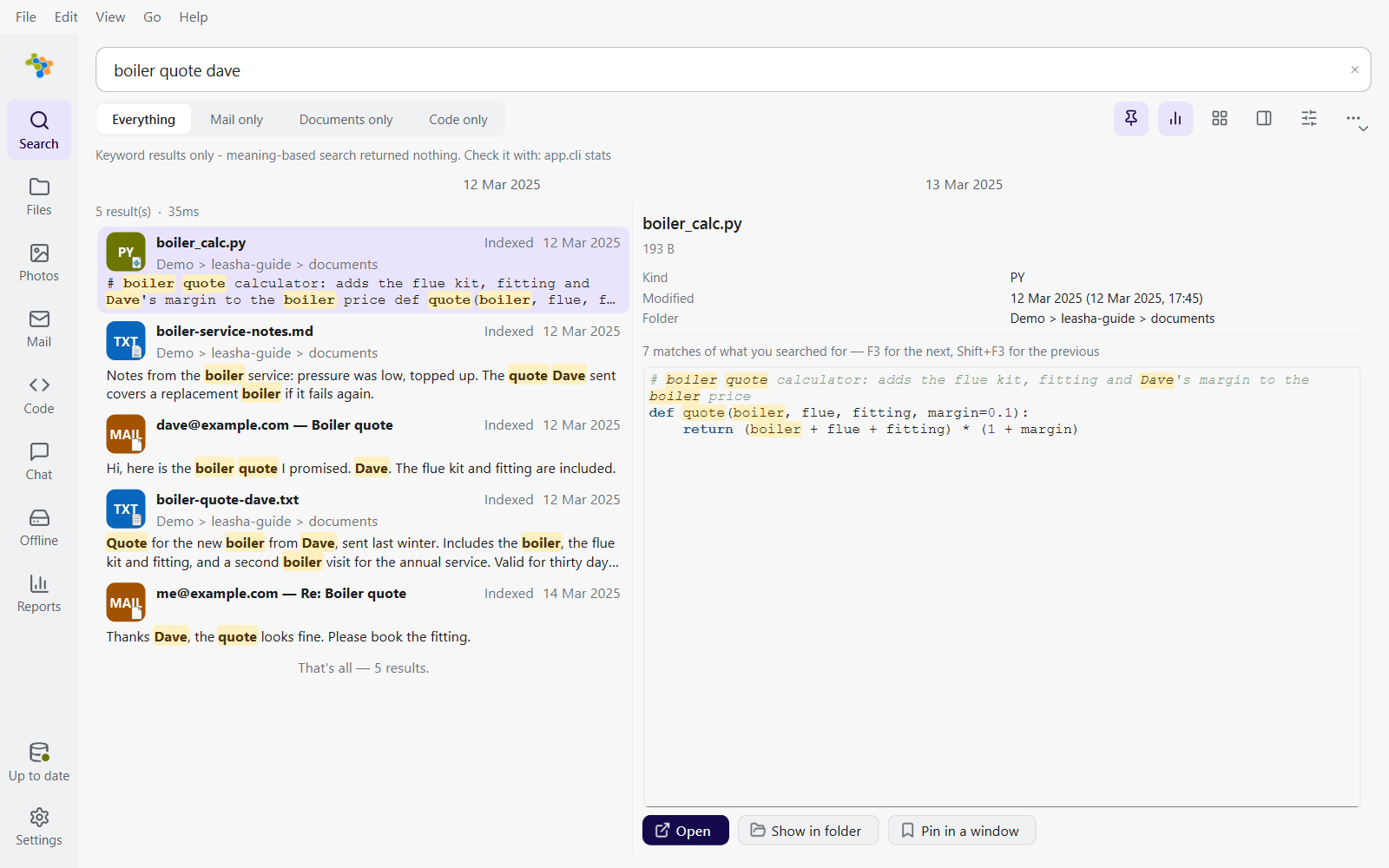
The Search page, on demo data. One search, results from files, mail and code, the matches highlighted in the preview.
Ask in a sentence, get the document
Leasha reads the words and the meaning together. A fragment of a file name finds the file, and a half-remembered sentence finds the document it describes.
 the safety report Dave sent about Leeds before the audit
Search
One box over everything. Filters such as /from/after/type are offered as you type, and the preview shows each match in place.

Files
Find a file by any part of its name, including files on a drive that is not plugged in.

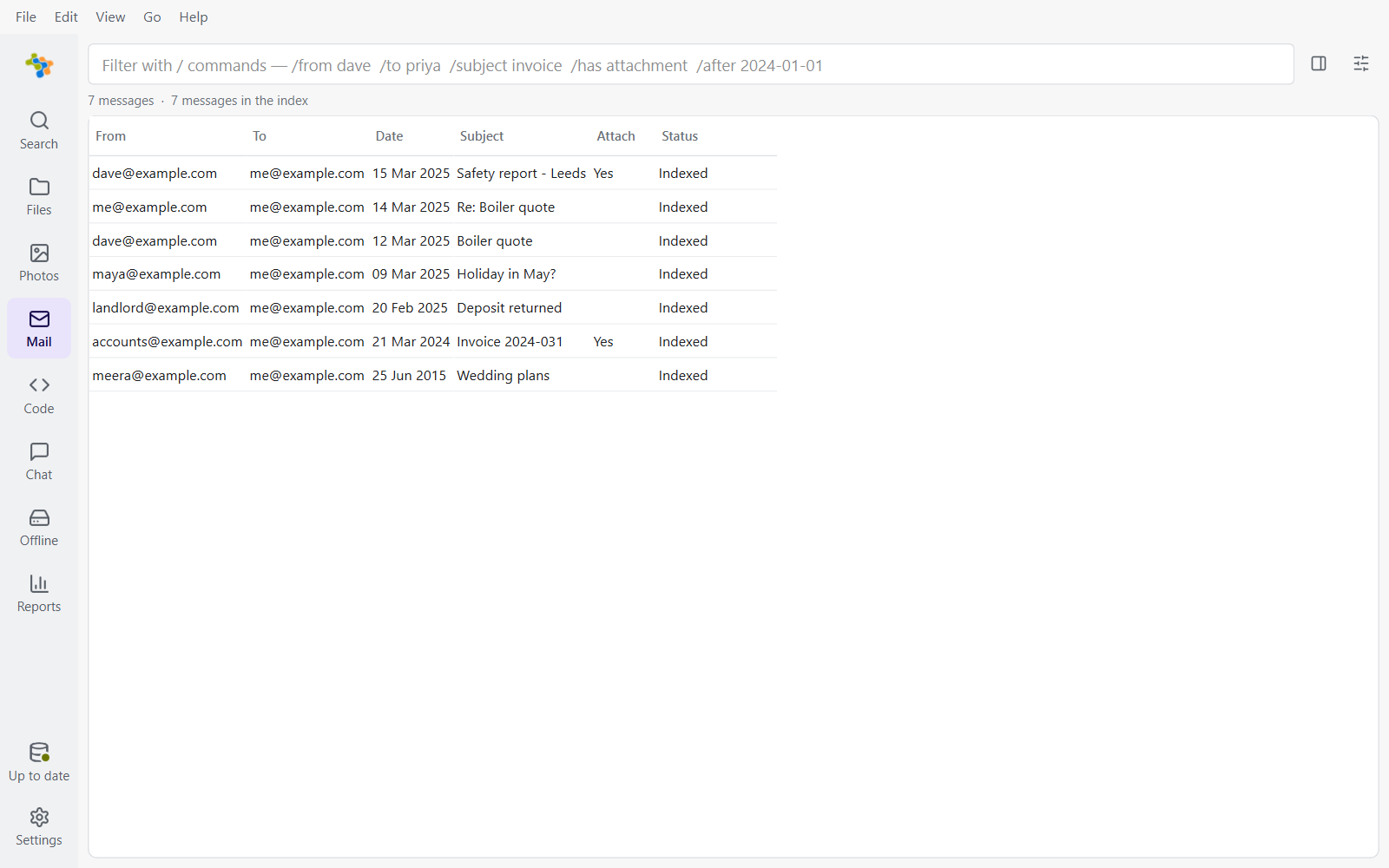
Outlook mail and old .pst archives, attachments included, as a table you can sort and filter.

Photos
Find pictures by who is in them, when and where they were taken, and what they show.

Code
Every git repository under your folders, with search through its history.

Chat
Ask a question about your own files and get a plain answer, with each source one click away. The model runs on your PC.

Offline drives
Catalogue a USB stick or an old drive once. Its files stay findable after you unplug it.

Contacts
Your address book as a list or as business cards, with duplicates found for you, and kept in step with Google, Microsoft or Apple if you wish.

Tidy
Find exact copies, similar photos and large leftovers. Nothing goes until you have reviewed it, and then only to the Recycle Bin.
A search box over any program
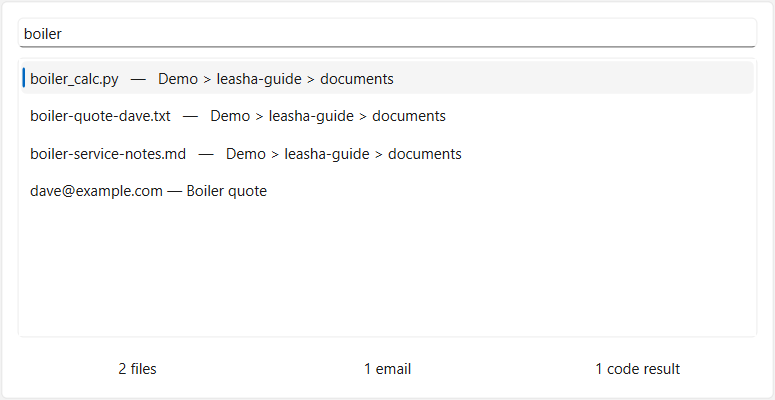
Press CtrlShiftSpace wherever you are and start typing. Choose a result and it opens. Leasha can also watch your folders and index a file a few seconds after you save it.
Your mail, including the archives you thought were lost
Point Leasha at Outlook and your old .pst files. Messages and their attachments are read on your PC and searched alongside your documents. Connect a Google or Microsoft account and its mail arrives the same way, read only.
Your files never leave your PC
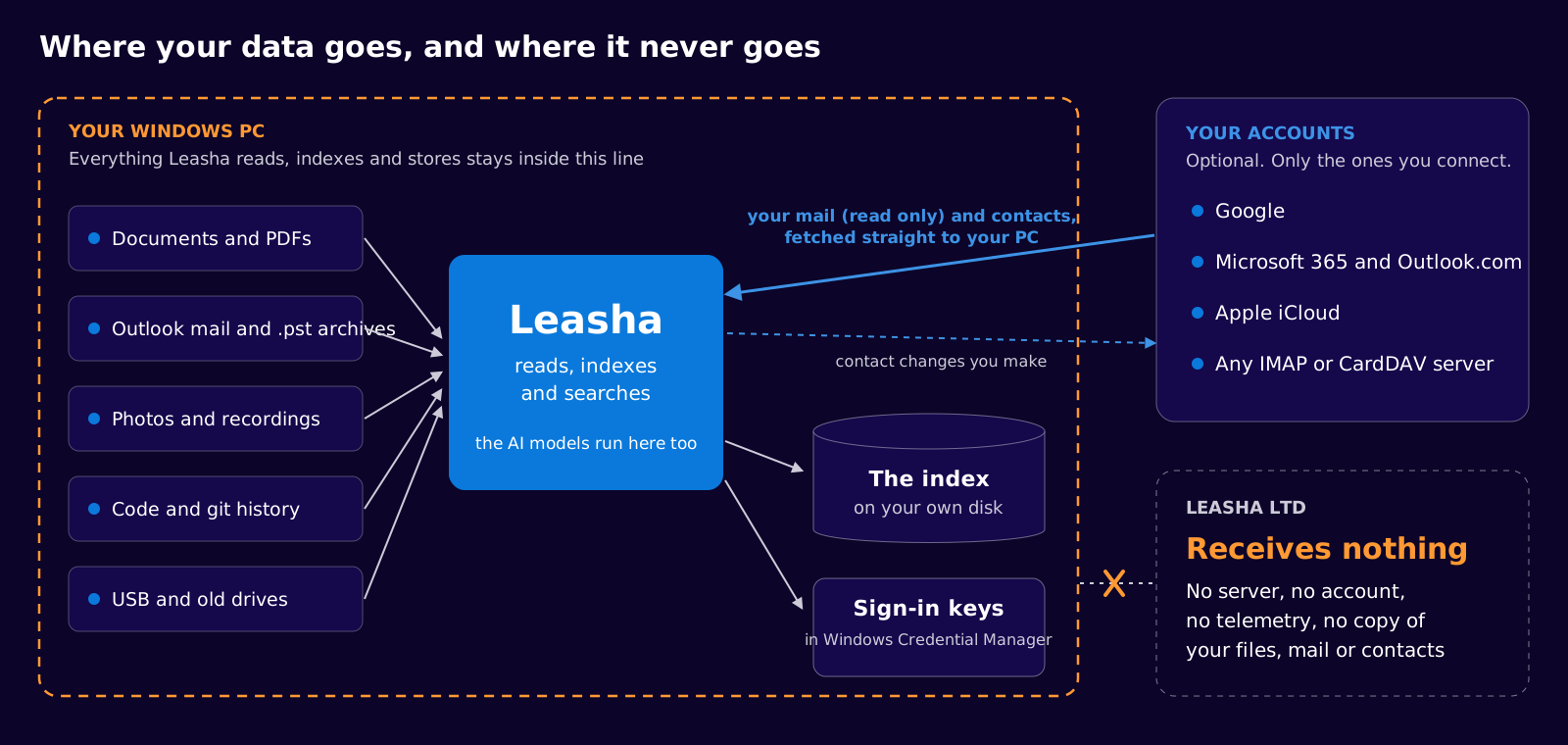
Leasha has no server to send them to. The index, the AI models and your sign-in keys all live on your own computer.

Nothing to sign up for
No account, no telemetry and no adverts. Leasha Ltd cannot see what you index or search.

Reads, never edits
Leasha never changes a file or an email. Tidy moves a file to the Recycle Bin only after you approve it.

Works offline
Search, indexing and the AI models run with the network unplugged. Models download once, when you choose.

Keys stay in Windows
Sign-in keys and app passwords are kept in Windows Credential Manager, never in a file, the index or a log.
Google and Microsoft mail and contacts, kept on your PC
Leasha works without any account. If you connect one, you sign in with Google or Microsoft in your own browser, and Leasha asks only for what the features need. You can disconnect at any time, in Leasha or in your account settings.
| Account | What Leasha asks for | Why |
|---|---|---|
| Your name and email address | To show which account is connected. | |
| See, edit, create and delete your contacts | To keep your address book in step in both directions. A change reaches Google only when you make it in Leasha, for example by editing or merging a contact. | |
| Read your Gmail messages and settings (read only) | To search your mail on your PC. Leasha cannot send, change or delete mail. | |
| Microsoft | Your profile | To show which account is connected. |
| Microsoft | Read and write your contacts | As for Google: your address book kept in step, changed only by what you do in Leasha. |
| Microsoft | Read your mail | To search your mail on your PC. Leasha cannot send, change or delete mail. |
| Microsoft | Keep access you have given | So a scheduled sync can run without asking you to sign in each time. |
| Apple, IMAP, CardDAV | An app password you create | To fetch mail and contacts from that server. It is kept in Windows Credential Manager. |
Get Leasha for Windows
The download always fetches the newest version from GitHub.

The installer
For Windows 11 and Windows 10 (22H2). About 330 MB. It installs for you alone, with no administrator prompt.
Download Leasha →
Release notes and checksums
What changed in each version, with a SHA-256 checksum beside every installer so you can check your download.
See the latest release →
Install
Run the installer. It asks where to keep the index, on any local drive with room for it.
Choose what to index
Pick your folders and Outlook files and start the first run. You can pause it and carry on later.
Search
Type what you remember, or press CtrlShiftSpace from any program.
Before you install
Does Leasha upload my files anywhere?
No. There is no Leasha server. Your files, mail, photos, contacts and the search index stay on your PC. The only things that ever go out are the ones you switch on, such as a connected account fetching your own mail.
Do I need an internet connection?
Only to download Leasha, to fetch its AI models if you want them, and for the accounts you connect. Search, indexing and the models themselves run offline.
Which AI does it use?
Small open models that run inside Leasha on your PC: Florence-2 for photo tags, Whisper for speech and Qwen 2.5 for Chat. Search does not depend on any of them, so it works the same with none installed.
What does Leasha do with my Google or Microsoft data?
It copies your mail (read only) and contacts to your PC so you can search them there, and keeps your contacts in step with the changes you make in Leasha. Nothing is sent to Leasha Ltd or anyone else. The details are in the app privacy policy.
How do I remove it?
Disconnect any accounts in Settings > Accounts, use Reset in Leasha to delete what it stored, then uninstall it from Windows Settings > Apps. You can also remove its access in your Google or Microsoft account settings.
Who makes Leasha?
Leasha Ltd, a UK company, founded by Jaymin Patel. Questions and problems: [email protected] or GitHub issues.
Find the file you know you have.
For Windows 11 and 10. Nothing leaves your PC.